본문
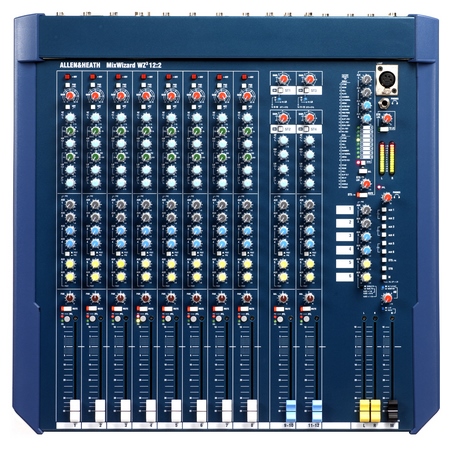
WZ3 12:2
Allen&Heath
제품코드 : 4647
가격
현재 이 제품은 단종 입니다.
그러므로 구매하실 수 없습니다.
그러므로 구매하실 수 없습니다.
옵션 & 수량 & 장바구니
소비자 가격 :
장바구니담기
관심상품담기
구매정보
제품상태 :
단종
무이자 할부:
무료배송 :
10만원 이상 구매 시 무료
제품관련 URL

음향기기 > 음향 > 믹서 > 종류 > 아날로그 믹서
제품사진
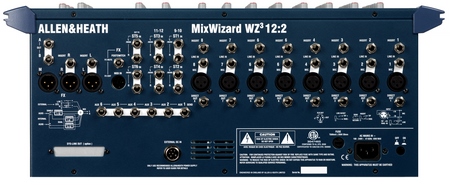
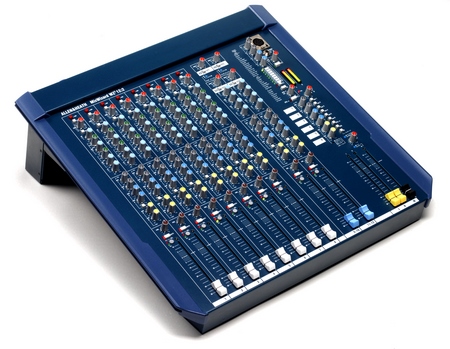
이 제품의 연관제품
뮤플의 한 마디
“”
제품 상세설명
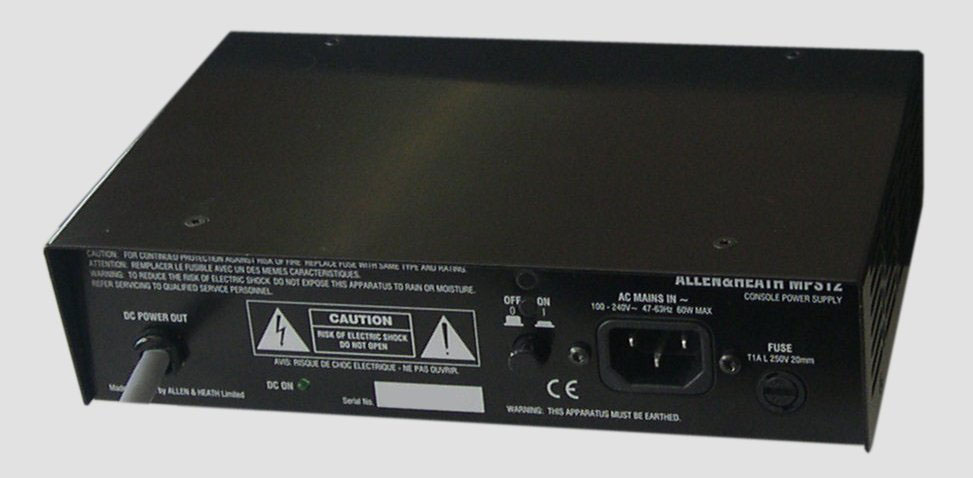
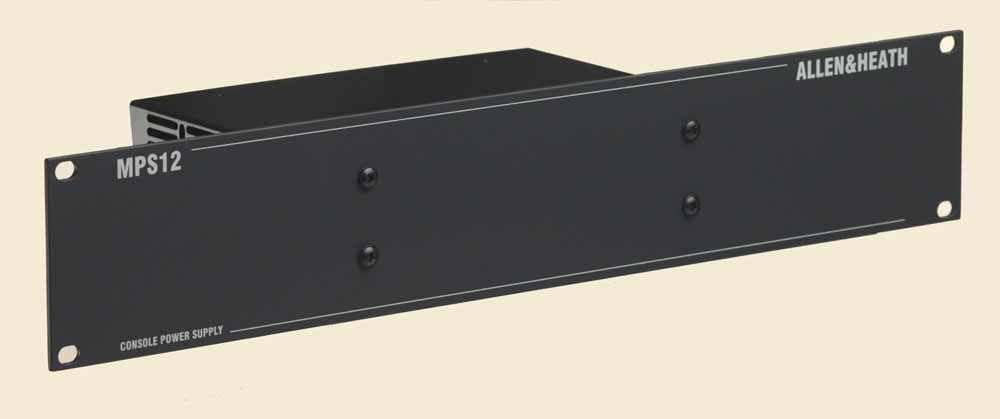
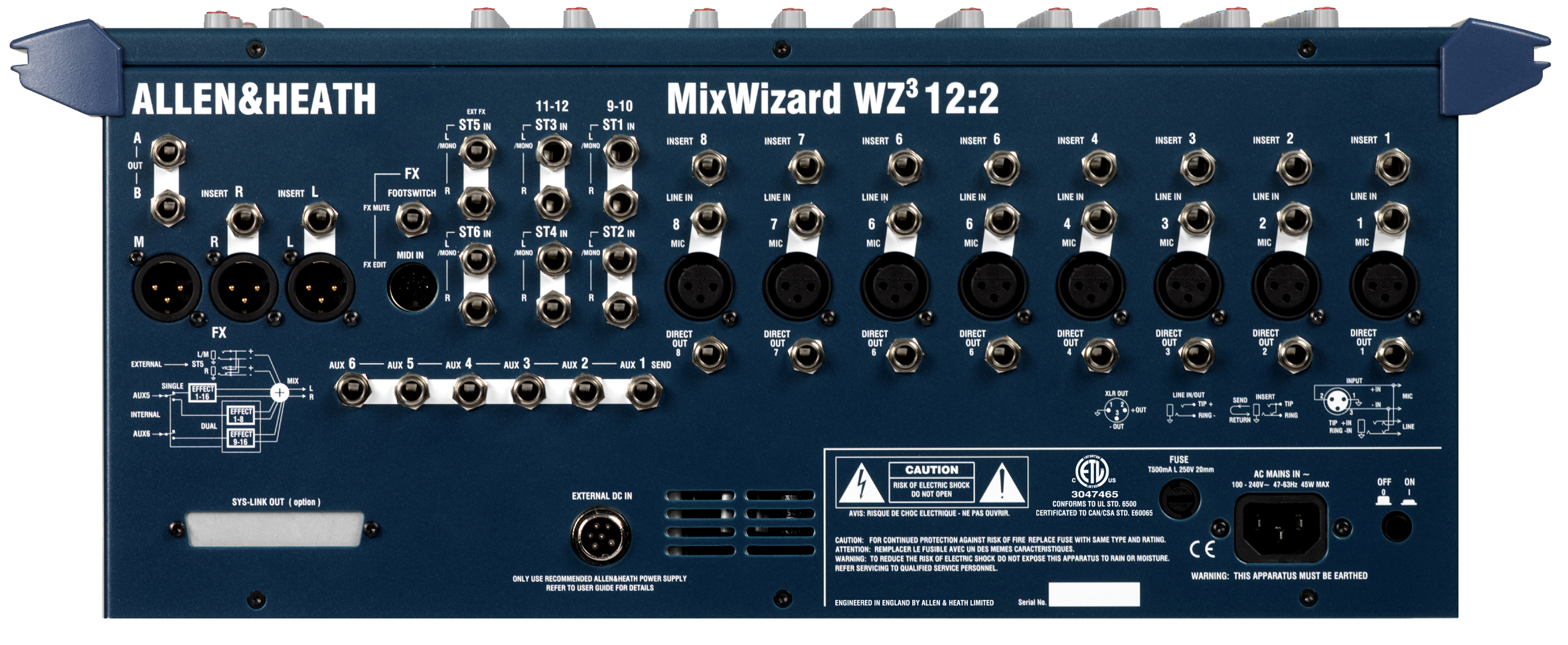
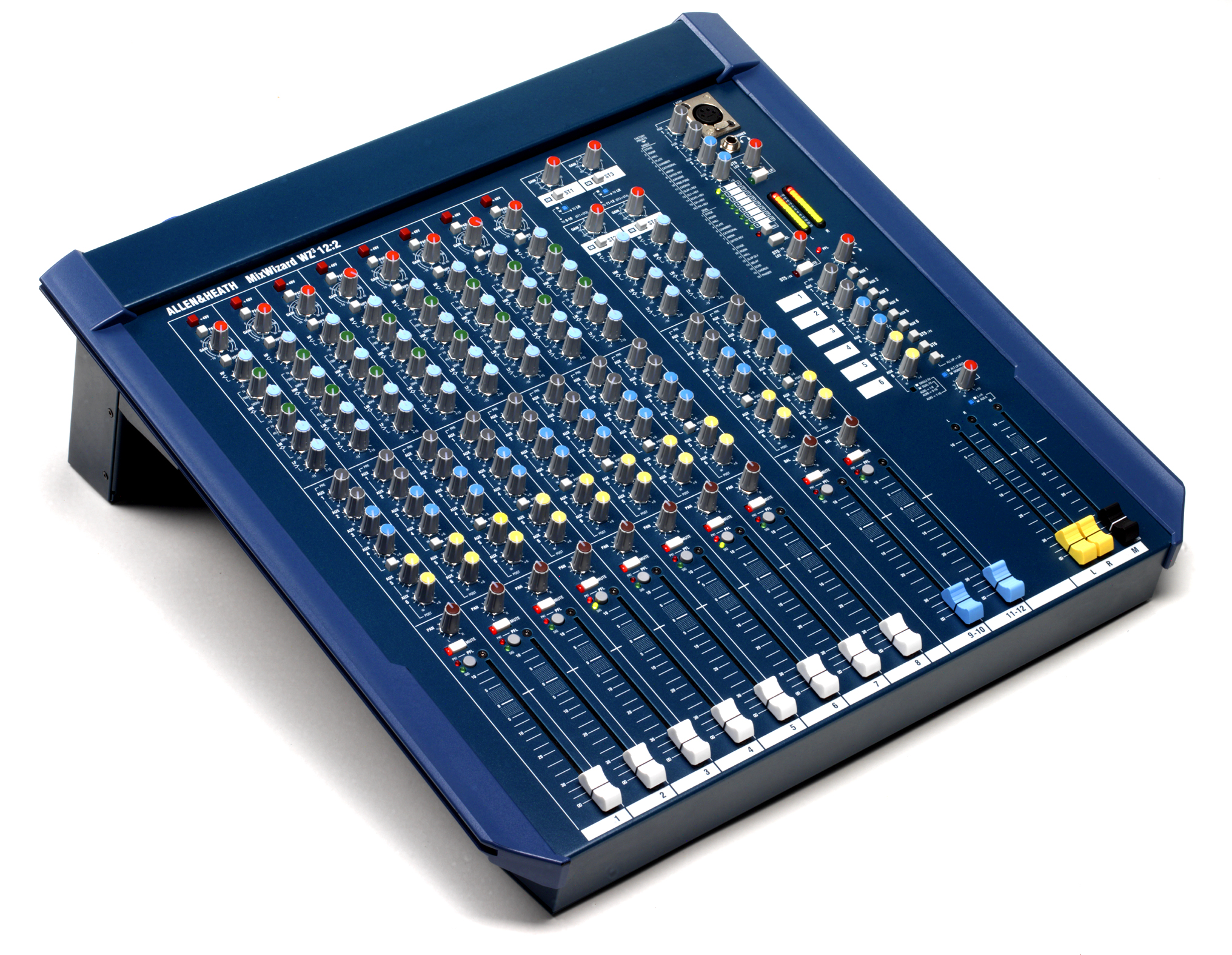
Desk / Rack mount all-purpose console
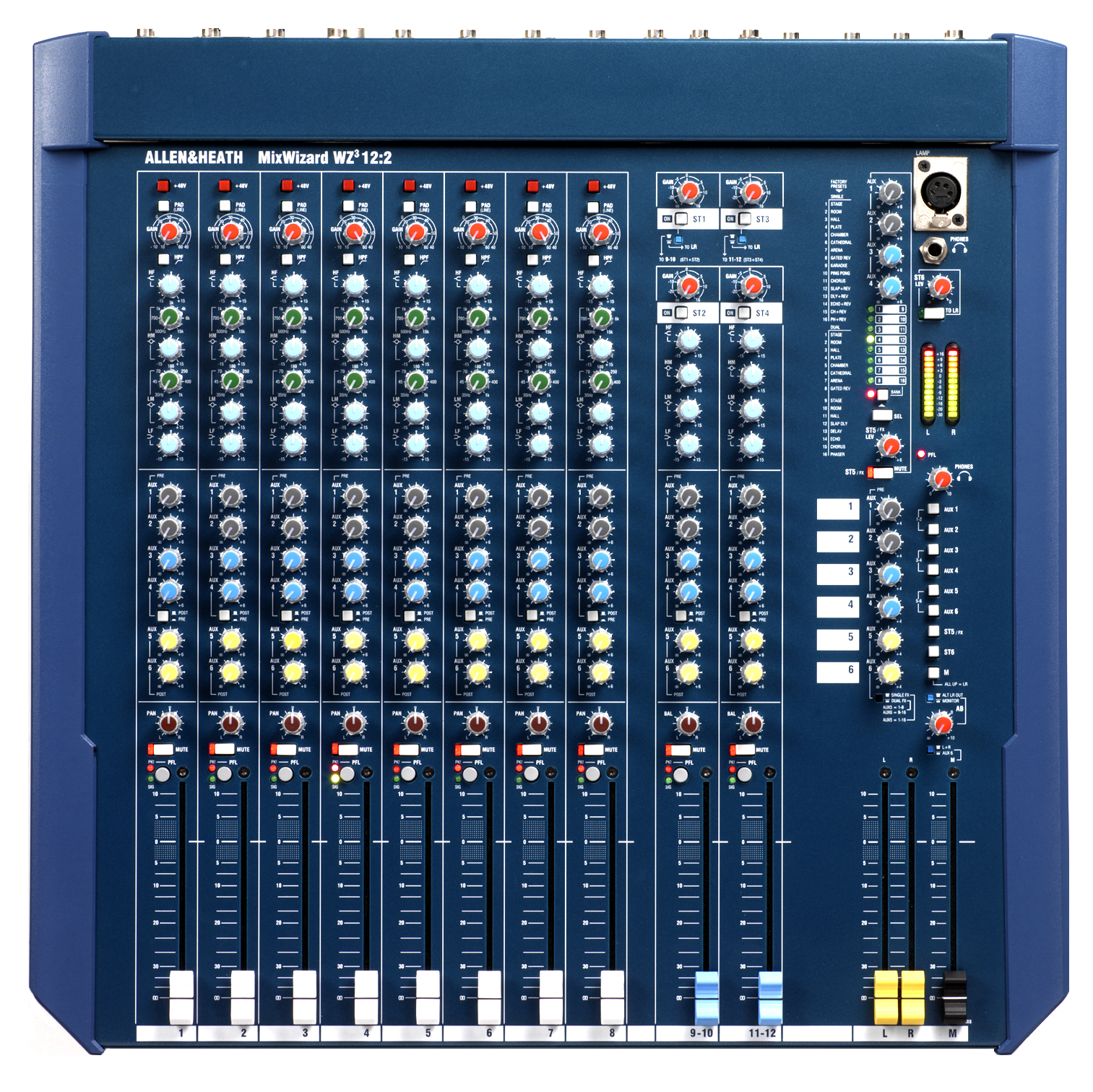
With the same functionality as its larger sister models, the WZ3:12:2 embodies the ultimate multipurpose compact mixer, with 2 extra dual stereo inputs for stereo
sources such as keyboards or CD players.
Please note:
The method of editing the digital FX software in the MixWizard 16 and 12 mixers has changed. To check which method you need to use to edit FX parameters, please see below.
For MixWizard version 2 and some version 3 mixers with serial numbers commencing with any of these prefixes,
W21602..
W21202..
W31602..
W31202..
..the editing software may be downloaded here: Wizard FX Editor Software
For MixWizard version 3 mixers with serial numbers commencing with these prefixes:
W31622..
W31222..
…there is currently no proprietary Allen & Heath software editor. However, the effects parameters can be edited via MIDI using a WZ FX Graphical User Interface that runs within Stardraw Control, which may be downloaded from the Stardraw website here: Stardraw Control
Please note before you download the GUI, that you will need Stardraw Control to make any changes to the parameters. Please also note that you will need to have Microsoft’s ‘.NET Framework’ installed. The GUI which runs within Stardraw Control may be downloaded here.WZ FX Ed V2
If you wish to edit the parameters using your own hardware and software, please read :This Document which describes the MIDI implementation of the parameters.
With the same functionality as its larger sister models, the WZ3:12:2 embodies the ultimate multipurpose compact mixer, with 2 extra dual stereo inputs for stereo
sources such as keyboards or CD players.
Please note:
The method of editing the digital FX software in the MixWizard 16 and 12 mixers has changed. To check which method you need to use to edit FX parameters, please see below.
For MixWizard version 2 and some version 3 mixers with serial numbers commencing with any of these prefixes,
W21602..
W21202..
W31602..
W31202..
..the editing software may be downloaded here: Wizard FX Editor Software
For MixWizard version 3 mixers with serial numbers commencing with these prefixes:
W31622..
W31222..
…there is currently no proprietary Allen & Heath software editor. However, the effects parameters can be edited via MIDI using a WZ FX Graphical User Interface that runs within Stardraw Control, which may be downloaded from the Stardraw website here: Stardraw Control
Please note before you download the GUI, that you will need Stardraw Control to make any changes to the parameters. Please also note that you will need to have Microsoft’s ‘.NET Framework’ installed. The GUI which runs within Stardraw Control may be downloaded here.WZ FX Ed V2
If you wish to edit the parameters using your own hardware and software, please read :This Document which describes the MIDI implementation of the parameters.
MixWizard compact mixers have carved out a unique place in the pro audio pantheon of professional multipurpose consoles. For years, and in every year, Allen & Heath has supplied thousands of MixWizards for hundreds of different applications, all of which have four requirements in common - great sound, high quality, ease of use and lots of really useful features.
 |
스펙
제품사진
사용자평가
- 등록된 사용자 후기가 없습니다.
▼ 피드백 더보기
리뷰
질문과 답변
장바구니에 담겼습니다!
관심상품에 등록 되었습니다!
업체회원 가입안내
뮤플은 음향/영상 제품으로 시공을 하시거나 판매 혹은 렌탈을 하시는 회원님들께 별도의 특별한 혜택을 드리고 있습니다.
뮤플의 업체회원이 되시면,
1. 보다 저렴한 업체회원 전용가격을 제공 받으시며
2. 사업을 운영하시는데 도움이 될 수 있는 업체전용 제품을 추천해서 제공 해 드리며
3. 이 외에도 여러가지 사업에 이익이 되는 많은 서비스를 제공 합니다.
업체회원 신청 방법은,
신청게시판에 회원님의 사업장의 사업자 등록증(업태/종목 내에 음향/영상 관련 사업영역이 명시되어 있어야 합니다) 사본을 첨부하여 신청 해 주시면, 뮤플에서 확인 후 빠른 시일내로 연락을 드립니다.
음향/영상 업체를 운영하시고 계시다면 꼭 업체회원으로 신청하셔서 많은 혜택을 받으시기 바랍니다.
뮤플의 업체회원이 되시면,
1. 보다 저렴한 업체회원 전용가격을 제공 받으시며
2. 사업을 운영하시는데 도움이 될 수 있는 업체전용 제품을 추천해서 제공 해 드리며
3. 이 외에도 여러가지 사업에 이익이 되는 많은 서비스를 제공 합니다.
업체회원 신청 방법은,
신청게시판에 회원님의 사업장의 사업자 등록증(업태/종목 내에 음향/영상 관련 사업영역이 명시되어 있어야 합니다) 사본을 첨부하여 신청 해 주시면, 뮤플에서 확인 후 빠른 시일내로 연락을 드립니다.
음향/영상 업체를 운영하시고 계시다면 꼭 업체회원으로 신청하셔서 많은 혜택을 받으시기 바랍니다.
할인가격상담이란?
뮤플에서는 구매하 실 수 있는 최저가를 회원님이 편하게 안내 받으실 수 있도록 총 3가지의 다양한 방법의 할인가격상담을 제공합니다.
1. 최저가 실시간상담 : 가장 신속하고 자세한 상담을 받으실 수 있으며, 가격 최저가는 물론 제품 구성점검과 제품 추천까지 모든 필요한 상담을 한번에 해결하여 제공 해 드립니다.
2. 문자메세지 간편상담 : 급하게 최저가격만 필요하실 경우 문자메세지 간편상담을 요청하시면 고객님의 핸드폰의 문자메세지로 빠르게 할인 가격을 안내 해 드립니다.
3. 카카오톡 스마트 상담 : 모바일로 자세한 상담을 받기를 원하실 경우 카카오톡 스마트 상담으로 신청 해 주세요. 카카오톡 옐로우아이디를 이용하여 실시간으로 고객님과 대화하며 할인 가격을 안내 해 드립니다.
1. 최저가 실시간상담 : 가장 신속하고 자세한 상담을 받으실 수 있으며, 가격 최저가는 물론 제품 구성점검과 제품 추천까지 모든 필요한 상담을 한번에 해결하여 제공 해 드립니다.
2. 문자메세지 간편상담 : 급하게 최저가격만 필요하실 경우 문자메세지 간편상담을 요청하시면 고객님의 핸드폰의 문자메세지로 빠르게 할인 가격을 안내 해 드립니다.
3. 카카오톡 스마트 상담 : 모바일로 자세한 상담을 받기를 원하실 경우 카카오톡 스마트 상담으로 신청 해 주세요. 카카오톡 옐로우아이디를 이용하여 실시간으로 고객님과 대화하며 할인 가격을 안내 해 드립니다.
할인가격 확인방법
뮤플의 가격상담실에 가격상담을 요청 해 주세요!
뮤플의 가격상담을 받으시면 시중에서 구하실 수 있는 최저가는 물론, 인터넷 최저가까지 반영하여 가장 저렴한 가격으로 구매하실 수 있는 견적을 제공합니다.
가격상담을 받으신 후에 아래의 "상담할인금액"란에 상담 받으신 할인가격이 자동으로 노출 됩니다.
뮤플의 가격상담을 받으시면 시중에서 구하실 수 있는 최저가는 물론, 인터넷 최저가까지 반영하여 가장 저렴한 가격으로 구매하실 수 있는 견적을 제공합니다.
가격상담을 받으신 후에 아래의 "상담할인금액"란에 상담 받으신 할인가격이 자동으로 노출 됩니다.
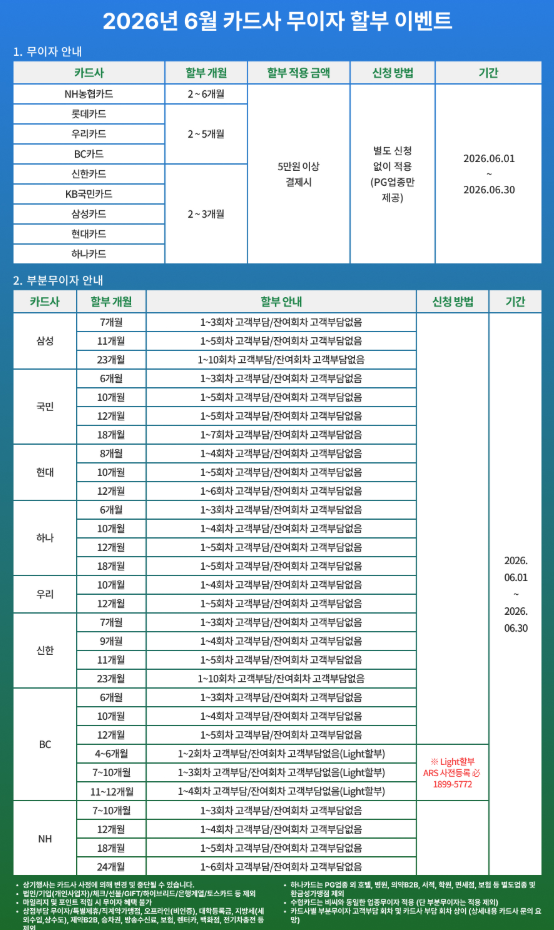
이 달의 무이자 안내